
What Is RAG? How Retrieval-Augmented Generation Works and How to Build a Production-Ready Pipeline
What RAG is, how it works step by step, how to build a production-ready RAG pipeline, and where each stage usually fails — with industry examples.
Key takeaways
- RAG (retrieval-augmented generation) gives a language model passages retrieved from your own documents at question time, so answers are grounded, current and citable.
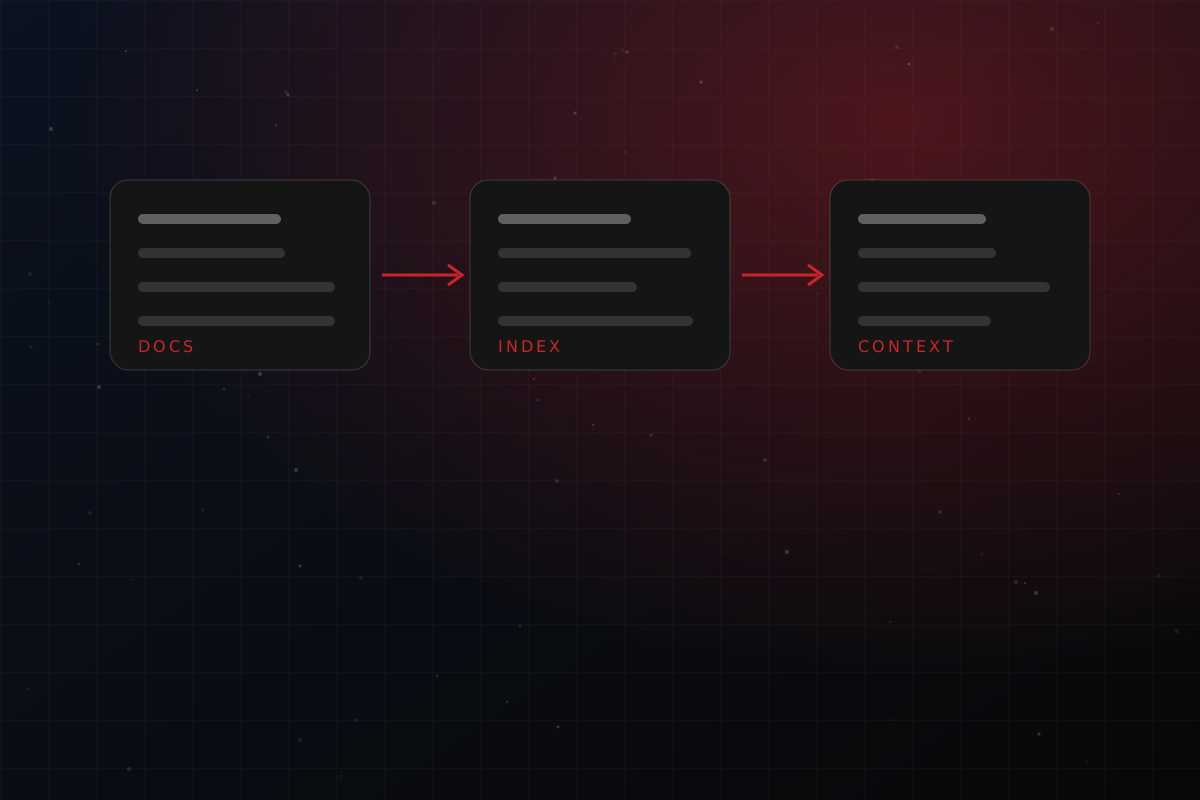
- A RAG system has two phases: an indexing phase (read, chunk, embed, store) and a query phase (retrieve, rerank, assemble context, generate).
- Most RAG failures are retrieval failures, not model failures. Improve parsing, chunking, search and permissions before you change models.
- A production pipeline also needs evaluation, access control and sync with the source documents.
- troveGEN is Intellara's managed RAG pipeline and search API that packages all of these stages behind one API.
What is RAG?
Retrieval-augmented generation, usually shortened to RAG, is a technique that combines a search system with a large language model (LLM). Instead of asking the model to answer purely from what it memorised during training, a RAG system first searches a knowledge source — your contracts, manuals, statements, policies, wiki pages — finds the passages most relevant to the question, and places those passages in the prompt. The model then writes an answer using that evidence.
The term comes from the 2020 NeurIPS paper Retrieval-Augmented Generation for Knowledge-Intensive NLP Tasks by Patrick Lewis and colleagues at Facebook AI Research, University College London and New York University. The paper paired a generator with a dense vector index of Wikipedia searched by a neural retriever, and reported more specific, diverse and factual language than a model without retrieval. The core idea has barely changed since: keep knowledge outside the model, fetch it when needed, and let the model reason over it.
Why teams use RAG
- Fewer hallucinations. The model is steered by retrieved evidence rather than guessing. It can also be instructed to say "I could not find that" when the evidence is missing.
- Fresh knowledge. Update a document and the next answer reflects it. No retraining is needed.
- Private data. Company documents never need to be baked into model weights, and access can be controlled per user.
- Citations. Every answer can point back to the page and section it came from, which auditors, lawyers and clinicians expect.
- Cost control. Sending three relevant passages is far cheaper and faster than sending an entire archive with every request.
RAG vs fine-tuning vs long context
Fine-tuning changes how a model behaves — its tone, format or specialised skill — but it is a poor way to store facts that change weekly. Long-context models can read huge prompts, yet research shows they do not use all of that context equally well. In Lost in the Middle (Liu et al., published in TACL 2024), accuracy was typically highest when the relevant passage sat at the beginning or end of the input and dropped when it sat in the middle, even for models built for long contexts. Retrieval keeps the prompt short and puts the evidence where the model can use it. In practice the three techniques complement each other.
How RAG works, step by step
Phase 1: indexing (done ahead of time)
- Ingest. Collect documents from file stores, drives, websites and email. Read PDFs, scans, spreadsheets and slides, using OCR where text is an image.
- Chunk. Split each document into passages small enough to retrieve precisely but large enough to be understood alone.
- Embed. Convert each chunk into a vector — a list of numbers that places similar meanings close together — with an embedding model.
- Store. Save the vectors, the original text and metadata (source, page, date, permissions) in a vector database, often alongside a keyword index.
Phase 2: querying (done for every question)
- Retrieve. Embed the question and search the index for the closest chunks, ideally combining semantic and keyword search.
- Rerank. Re-score the short list with a model that reads question and passage together, and keep the best few.
- Assemble context. Build the prompt: instructions, the retrieved passages with their sources, and the question.
- Generate. The LLM writes an answer using only the supplied evidence and cites its sources.
- Verify. Optionally check that every citation really exists in the retrieved passages.
The anatomy of a production-ready RAG pipeline
A demo can be built in an afternoon. A pipeline people trust takes more care at each stage. The table below summarises where each stage usually goes wrong and what good looks like.
| Stage | Typical failure | What good looks like |
|---|---|---|
| Ingestion | Tables flattened, scans skipped, headings lost | Structure preserved; OCR that flags unreadable pages instead of indexing blanks |
| Chunking | Fixed-size splits cut clauses and table rows in half | Split on headings and sections; keep tables and code intact |
| Embedding | One model for every language and domain | A model validated on your languages and documents |
| Retrieval | Vector-only search misses exact codes and names | Hybrid keyword + semantic search with metadata filters |
| Reranking | Top-k by similarity only | Cross-encoder or LLM reranking of a short list |
| Generation | Model answers even when evidence is absent | Grounded prompts, citations, and an honest "not found" |
| Security | Permissions checked after retrieval, or not at all | Access control applied inside the query |
| Evaluation | "It looks fine" testing | Golden question sets and scored, repeatable runs |
| Freshness | Index drifts from the source documents | Connectors that sync, version and delete |
How to build a RAG pipeline that actually works: a 10-step checklist
- Start from the questions. Write 30–50 real questions with the passages that answer them. This becomes your golden set.
- Inventory the documents. List formats, languages, sizes, sensitivity and who may see what.
- Parse for structure. Preserve headings, tables, lists and page numbers; OCR scans in the right language.
- Chunk on meaning. Respect sections and keep tables, formulas and code whole. Attach the document title and section path to every chunk.
- Attach metadata. Source, page, date, document type and permissions turn search into something you can filter and audit.
- Use hybrid retrieval. Combine keyword and vector search; fuse the rankings.
- Rerank a short list. Retrieve 20–50 candidates, rerank, pass the best 3–8 to the model.
- Constrain generation. Tell the model to answer only from the supplied passages, cite them, and refuse when they are insufficient.
- Measure continuously. Track retrieval recall on the golden set, answer groundedness and latency on every change.
- Keep it in sync. Re-index changed files, remove deleted ones, and keep earlier versions available for point-in-time questions.
Common mistakes
- Blaming the model before inspecting what was retrieved.
- Embedding whole documents or fixed 512-token windows without regard for structure.
- Skipping keyword search, then wondering why part numbers and case references are not found.
- Applying permissions after retrieval, which leaks information or empties the result list.
- Shipping without an evaluation set, so quality silently regresses.
How troveGEN solves these problems for specific industries
troveGEN is Intellara's RAG pipeline and search API. Rather than asking every team to assemble ingestion, OCR, chunking, vector storage, hybrid search, reranking, permissions and evaluation themselves, it offers them as one service reachable through a REST API, a TypeScript SDK and an MCP server for AI agents. Here is how that plays out in the industries it is tuned for:
- Finance: bank statements and invoices are tables. troveGEN keeps tables whole or indexes one entry per row, so a question such as "total spent with a vendor" returns the matching rows with citations and a total computed from the table, not guessed by a model.
- Legal: a clause stays with its sub-clauses and a judgment stays in context, so answers point to the right paragraph.
- Healthcare: clinical lists such as medications and eligibility criteria come back complete rather than as fragments, with sensitive values tokenised before indexing. troveGEN is retrieval support for staff and is not a medical device or clinical advice.
- Government: circulars, notifications and tenders are found by reference number, date and department thanks to hybrid keyword and meaning search, across 18 languages verified end to end.
- Hospitality and education: policies, rate sheets, menus and syllabi are answered accurately and with sources.
You can run it fully managed (troveGEN-Z), keep your vectors in your own Qdrant, Pinecone, pgvector or Postgres, or deploy it air-gapped. A free 500-page trial is available at trovegen.com, and if you would like a custom pipeline built around your documents, talk to our team.
Further reading
- Lewis et al., Retrieval-Augmented Generation for Knowledge-Intensive NLP Tasks (NeurIPS 2020).
- Liu et al., Lost in the Middle: How Language Models Use Long Contexts (TACL 2024).
Frequently asked questions
What does RAG stand for?
RAG stands for retrieval-augmented generation. It is a pattern where a language model is given passages retrieved from an external knowledge source at question time, so its answer is grounded in those passages instead of relying only on what it memorised during training.
Is RAG better than fine-tuning?
They solve different problems. RAG is the right tool when knowledge changes often, must be cited, or must stay private, because you update documents instead of retraining a model. Fine-tuning is better for teaching a model a style, a format or a narrow skill. Many production systems use both.
Do long context windows make RAG obsolete?
No. Sending every document on every request is slow and expensive, and research such as the 'Lost in the Middle' study shows models use information in the middle of long inputs less reliably than information at the start or end. Retrieval keeps the prompt short, relevant and auditable.
What is the most common reason a RAG system gives wrong answers?
Retrieval, not the model. Documents parsed badly, chunks that cut meaning in half, search that ignores exact identifiers, and missing permission checks all cause the model to be handed the wrong context.
How do I get started with RAG without building everything myself?
Use a managed retrieval layer. troveGEN is Intellara's RAG pipeline and search API: you upload, crawl or sync documents, and one API call returns cited passages. You can start with a free 500-page trial at trovegen.com.